

How trading works
You're set up. Here's an example with made-up names.
Ask for a trade
- On My schedule, tap Offer next to the event you want to give away. Here, Fri, Nov 20 is offered.
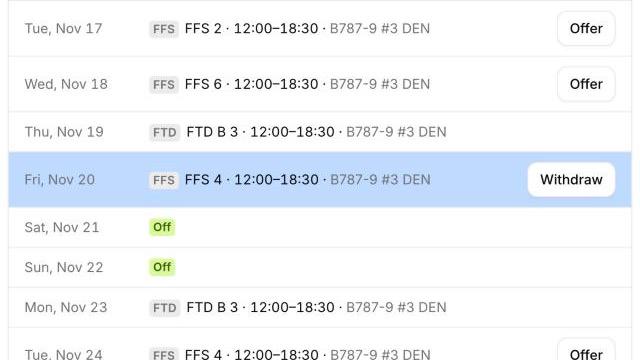
- On the Trade tab, you see everyone working that day who can legally take it: same fleet, the right quals and enough rest. It searches everyone's whole schedule, so you don't need to browse offers. People who offered that event too are marked Wants to trade too.
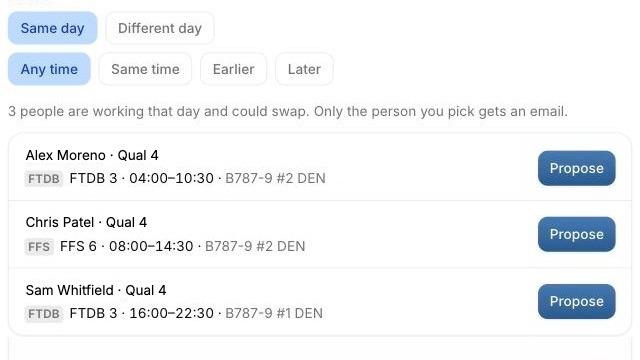
- Tap Propose, then Confirm. Only that person gets an email. Nobody else sees it.
Answer a request
When someone asks for one of your events, you get an email and the Trade tab shows Trade (1 new). It looks like this:
- Tap Accept or Decline. The app has already checked fleet, quals and rest.
- Either of you submits United's trade form. Tradewinds shows every field ready to copy.
- Once the schedulers approve it, tap Yes, update to put the trade on your schedule and calendar.